
Runs on your infrastructure. Licensed deployments use Node.js or Docker (default port 9443). Logs, backups, and credentials stay on your host or Docker volume — not on this marketing site. Optional outbound use is license validation, security feeds, SMTP, and SIEM destinations you configure.
Monitor live. Protect the config. Recover faster.
Ingest FortiGate event and traffic logs (upload, REST fetch, or live syslog), store config backups, and turn that data into operational, security, and compliance views.
Login is required. Roles are admin, operator, and viewer. MFA is optional. A one-time 15-day trial (2 devices) is available per install; paid keys go through the License API.
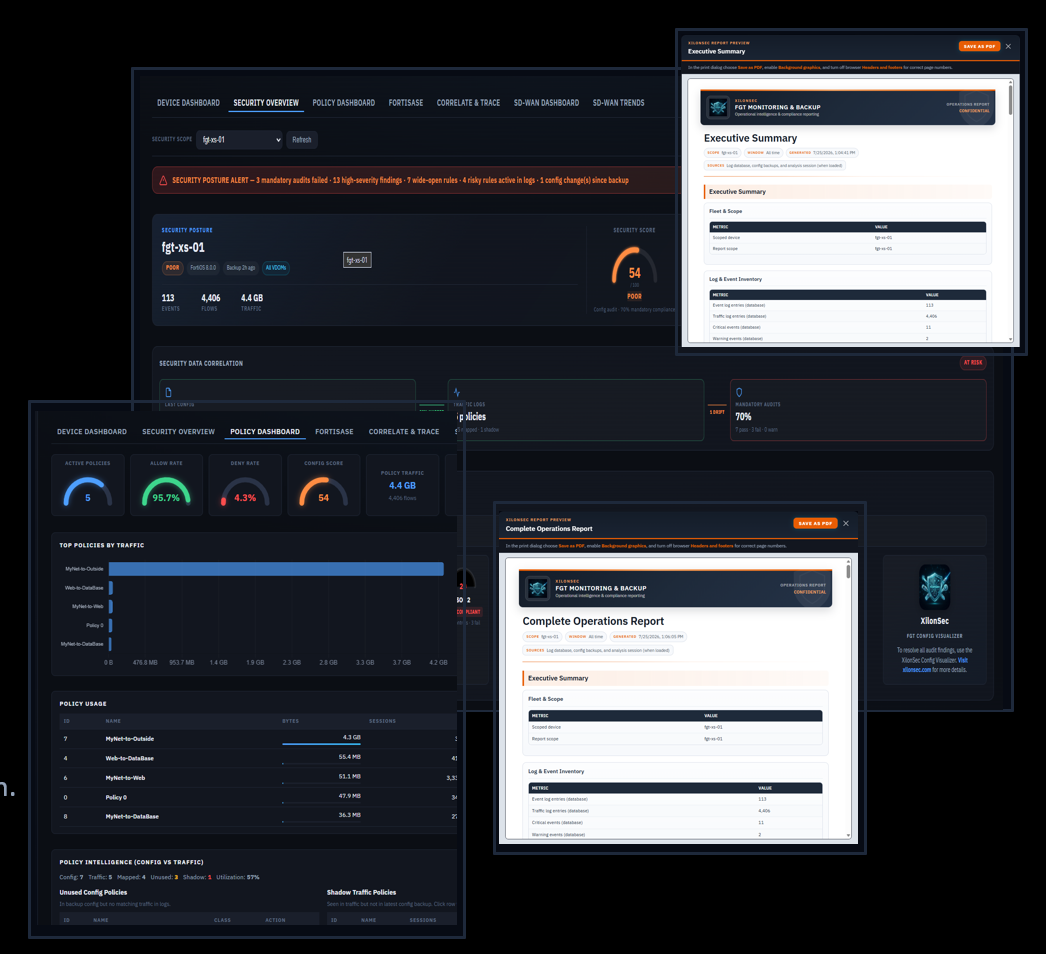
Live monitoring
SD-WAN overview
Interfaces, SLA fails, link drops, flows, event timelines, and SD-WAN zones from config backup. Topology map layouts: Classic, Compact, Radial, and WAN matrix.
VPN integrity
Phase 1/2 and SSL-VPN tunnel health at a glance, plus per-interface sent/received throughput for rapid triage.
Operations dashboards
Device, Security, Policy, FortiSASE, Correlate & Trace, and SD-WAN views — with SLA health, failovers, and system performance gauges.
Maps
Interactive topology for large SD-WAN fleets and a geographic traffic trace map.
Backup & resilience
API-based capture
On-demand or scheduled FortiGate config backups (30 minutes to weekly). Versioned .conf archives per device with retention limits.
Drift timeline
Compare snapshots, see section +/− counts, and open a config diff. Fleet compliance shows overdue, missing backup, or no credentials.
Repositories
Local app storage plus optional custom-path or SFTP mirrors. Restore-ready archives for DR and change-management evidence.
App database
Download, restore, or clear SQLite logs.db from App Settings, with archive-first options so history is not silently discarded.
Logs, hunt, and reports
Syslog & REST fetch
Live syslog listener (default UDP/TCP 5140) plus FortiGate REST log fetch up to 500k rows per type. Live feed stays responsive under high volume.
Log repository
Roll SQLite logs to archive files (500k lines/file default, per device). Archive-then-delete, age-based prune, and bulk download.
Threat hunt
Presets (failed admin, deny/block, IPS/AV, VPN, config changes), cross-DB timeline, scheduled hunt alerts, and admin drilldown with backup CLI before/after.
Reports & forward
Reports hub with hunt-aligned bundles, email/webhook alerts, log forward to syslog or HTTP (raw, JSON, syslog, CEF), and an in-app SSH terminal.
Ask about Monitoring & Backup alone, or bundle it with FGT Config Visualizer.